What is Ivory?
A look at what Ivory is, why it exists, and exactly what it can and can't do.
The Problem
You are at the piano and something clicks. A voicing, a run, a progression you have been chasing for weeks just falls out of your hands. You grab your phone, hit record, and keep playing before it slips away.
Then comes the hard part: Your thirty-second idea is dense. It's two hands, with overlapping voices, a fast run, and maybe a rootless jazz chord you'd have to slow down just to name. If you're like us, writing it out by hand means sitting there with the recording on loop, scrubbing back four bars at a time, guessing whether that tenor line went to D or Eb. An hour later, you have half a page of notation, and you have lost the spark of this new project entirely.
Too many ideas never make it past the voice memo for exactly this reason.
What Ivory Is
Ivory is an AI-powered piano transcription workspace. It's a place you can actually get work done on your music, not just a PDF converter you feed an audio file into and walk away from.
Here's how it works. You upload piano audio: for example, an MP3, a WAV, or a raw phone recording. Ivory's proprietary machine learning models are trained specifically on piano performance, and they do more than just convert audio to piano notes; they understand the complexities of human timing. If your performance is expressive, highly stylized, or full of heavy rubato, Ivory tracks the tempo changes and translates them into accurate polyphonic MIDI and clean, readable notation.
From there, you can move straight into the editor. It's a focused sheet music view that behaves similarly to the professional notation software you already know, streamlined for the exact task of cleaning up transcriptions.

To verify the result, you can play natural piano audio right in the browser, or listen to the original synchronized performance. You don't have to export a MIDI file, open your DAW, load a piano VST, and route everything just to hear whether it got a chord right.
The editor gives you the exact tools you need to clean up a transcription:
Play it back instantly
Hit play and the built-in piano follows the score note for note, so you can hear exactly what the model wrote down.
Hear the original audio
Play your source recording right alongside the transcription to compare the notation against the actual performance.
Loop any section
Set loop points around a tricky bar or phrase and play it on repeat while you correct the notes.
Slow the tempo down
Drop the playback speed to study fast runs and dense voicings without changing the written rhythm at all.
Edit right on the staff
Adjust pitches, rhythms, accidentals, and ties directly. Add or delete notes, and the score re-engraves itself cleanly.
Change key and transpose
Shift the key signature or transpose the whole piece to suit your instrument, your singer, or the chart you actually need.
This workflow is designed for easy editing and rapid correction. You play the score back, catch a wrong note, fix it right away, and play it again. Once the notation is accurate, export to MusicXML, MIDI, or PDF and take it wherever you are working next.

What Ivory Can't Do
Ivory does have limitations, although we're always making improvements to its abilities. Knowing them upfront saves you time, energy, and a frustrating upload.
It is built for piano.
Ivory's models know piano and keyboard audio best. If you upload a full multi-instrument mix, it will not hand back a complete band arrangement. It is listening for piano, and that's what it will attempt to transcribe.
It does not isolate stems.
It won't pull the vocals, bass, or drums out of a finished, mixed track. Ivory is primarily a piano transcription tool, not a stem splitter.
It requires (reasonably) clean audio.
A well-recorded solo piano yields the most accurate results by a wide margin. If you give Ivory something muddy, heavily distorted, or drenched in reverb, it might not do as well.
Chord Detection
As Ivory transcribes your audio, it analyzes the harmony and displays chord symbols directly above the staff. If you are breaking down a dense progression and need to identify a specific voicing, the chord names are already mapped out in the score.
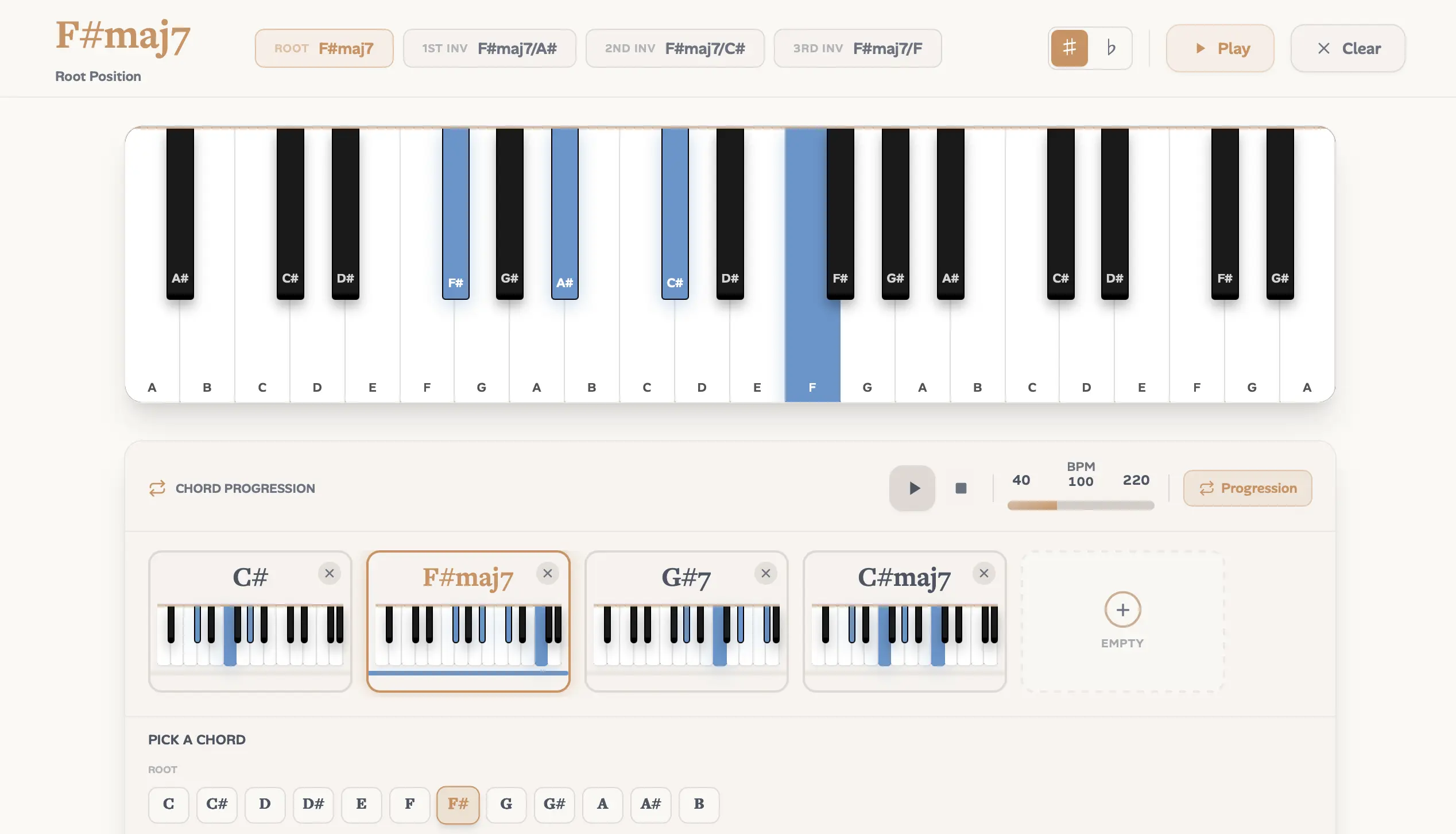
To explore harmony without uploading a recording, the standalone Chord Identifier lets you search any chord by name. It shows you exactly how the notes lay out on the keyboard, complete with inversions and voicings. You can also build out full progressions to hear multiple chords in context and map out harmonic ideas.
Open the Chord IdentifierWho It's For & How to Use It
If you work with piano in any serious capacity, Ivory fits into your process.
- Media Composers: Get an improvised idea out of your hands and into scoring software fast. Export the file as MusicXML and it opens cleanly in Sibelius, Finale, or Dorico.
- Jazz Musicians: Break down dense voicings and complex reharmonizations. Turn "wait, what was that chord?" into something you can actually read and study.
- Producers: Pull piano takes and audio samples straight into editable MIDI. You can then re-voice, quantize, or rebuild them however you like in your DAW.
Drop in a recording for free and see what comes back. You'll know within a minute whether it saves you the hour you were dreading.
Written by
Co-Founder, Ivory
Nicholas is a co-founder of Ivory and works on the tools musicians use every day, from the score editor to the export formats. He writes about getting music from a recording onto the page.