Audio to Sheet Music
Turn any solo-piano recording into an engraved, editable score. Upload an MP3, WAV, or YouTube link, review the transcription in the editor, then print it or export PDF, MusicXML, and MIDI.
Every pianist has recordings that deserve to live on paper: an improvisation you don't want to forget, an arrangement you play but never wrote down, a performance you'd like a student to read. Getting them there used to mean hours with staff paper, or evenings spent clicking notes into notation software.
An audio-to-sheet-music converter closes that gap. Ivory listens to your recording and reconstructs every note that was played, then does the part most tools skip: it turns that raw note data into readable notation, with a meter, quantized rhythms, two staves, a key signature, and clean engraving. The result is not a picture of your audio. It's a real score you can edit note by note, play back, print, and share.
See it in action
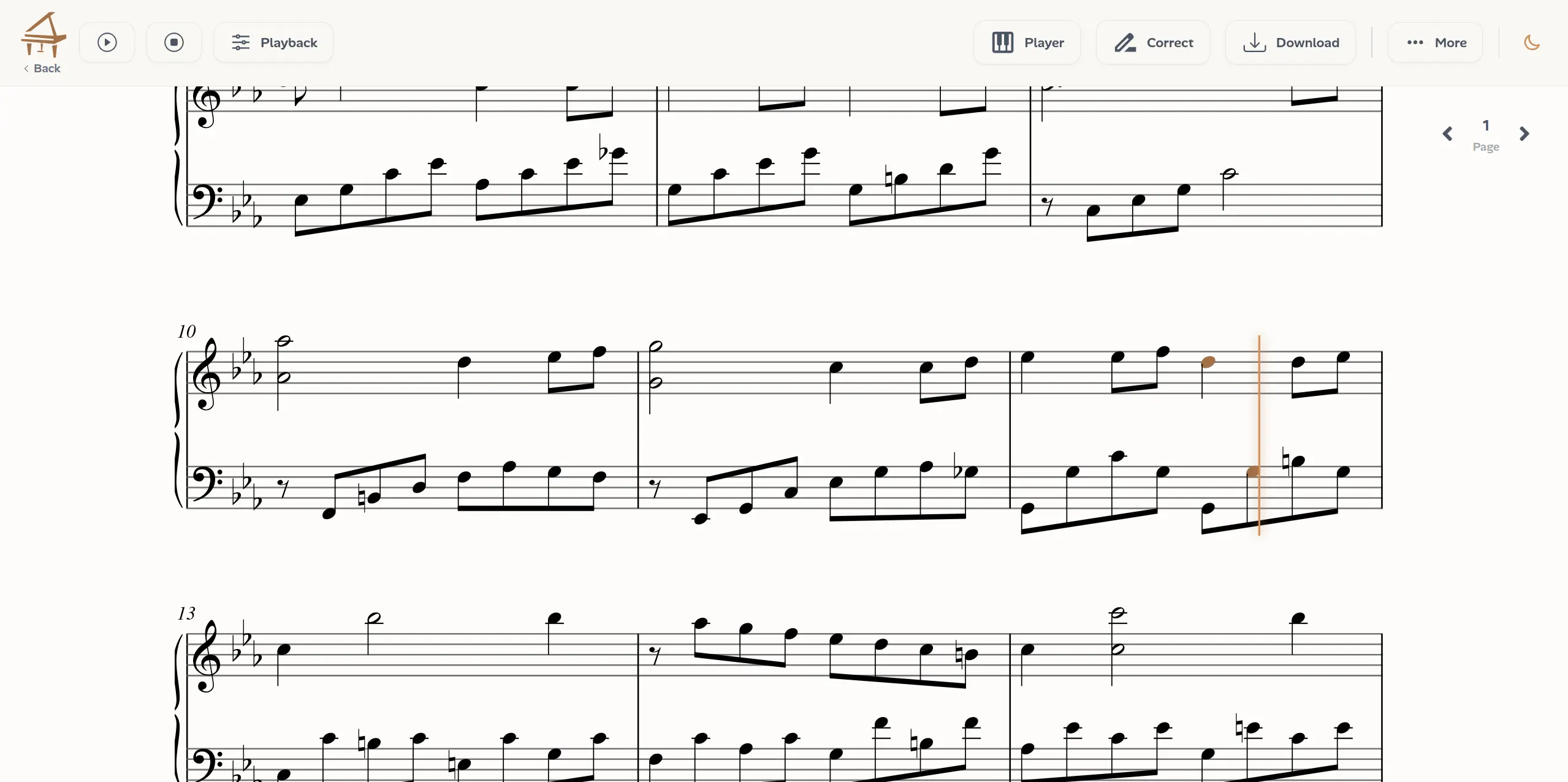
Ivory transcribing a piano recording into editable sheet music
What you get
Engraved piano notation
A real two-stave piano score with quantized rhythms, sensible beaming, and automatic key detection, clean enough to print and read at the instrument.
An editable score, not a static file
Every note the AI writes can be corrected, moved between staves, or deleted in Ivory's score editor, so a small transcription mistake never means starting over.
PDF, MusicXML, and MIDI export
Print the PDF directly, continue engraving in MuseScore, Finale, Sibelius, or Dorico via MusicXML, or take the MIDI into your DAW.
Playback against the original
Play the transcription back and compare it with your recording, so you can verify every passage before you export.
How to convert audio to sheet music
The workflow takes minutes, but each step hides a serious piece of machinery:
- 1. Upload a piano recording MP3, WAV, FLAC, M4A, a video file, or a YouTube link. A phone recording of an acoustic piano works, no special microphone or MIDI keyboard required.
- 2. The AI transcribes the performance A model trained exclusively on solo piano detects every note: pitch, onset, duration, and dynamics, together with pedal use, even in dense passages where many notes overlap under sustain.
- 3. Notes become notation Ivory fits a tempo and time signature to the performance, quantizes rhythms onto the grid, separates the material into left and right hand, chooses a key signature and pitch spelling, and engraves the result as a score.
- 4. Review, edit, export Check the score against the recording in side-by-side playback, correct anything the AI got wrong in the editor, then export PDF sheet music, MusicXML, or MIDI.
Why audio to sheet music is genuinely hard
We build piano transcription models for a living, and the honest summary is that converting a recording into a score is two problems stacked on top of each other. The first, hearing which keys were pressed and when, is the part people expect to be hard, and it is: a pianist can hold ten notes at once while the sustain pedal blurs harmonies together for seconds, and expressive playing rarely lines up with a metronome.
The second problem surprised us more when we started: it has no single right answer. The same performance can be written down in many valid ways. Is that note a quarter note, or a dotted eighth held under pedal? E-flat or D-sharp? Left hand or right? Is the piece in 3/4 or 6/8? A human engraver settles these questions with musical judgment. Software has to make thousands of these judgment calls, and make them well, or the output is technically correct nonsense: sixty-fourth-note runs, impossible chords, rhythms no musician would ever read.
This is why chaining a generic audio-to-MIDI converter into an auto-notation tool usually disappoints. We ended up building Ivory's transcription and notation stages together, for piano only, so that every engraving decision bakes in pianistic assumptions: how hands actually divide work, which spellings pianists expect, what a readable piano score looks like.
Built for solo piano, on purpose
Ivory transcribes solo piano recordings. It is not designed for full mixes, vocals, guitar, or multi-instrument tracks. That specialization is deliberate: a system that tries to notate everything tends to produce usable scores of nothing. If your recording is piano alone, a digital piano, an acoustic upright captured on a phone, or a YouTube performance, you are exactly in the territory Ivory was built for.
Who converts audio to sheet music?
A score is how piano music gets shared, taught, and preserved, and many workflows start from a recording:
- Composers and improvisers capture ideas as notation before they slip away.
- Arrangers who can play their arrangement, but need a chart to hand to another musician.
- Teachers turning recordings into readable practice material for their students.
- Performers studying pieces that were never published as sheet music, from covers to another pianist's arrangement.
AI transcription vs. writing it out by hand
Transcribing by ear is a valuable skill, but notating even a few minutes of polyphonic piano by hand routinely takes hours, and entering it into notation software adds more. For most musicians the bottleneck isn't hearing the notes; it's the sheer mechanics of writing them all down.
AI transcription changes the economics: you start from a score that is already close to the performance and spend your time on judgment, fixing an octave here, simplifying a rhythm there, instead of data entry. Dense, heavily pedaled textures will still need editing passes, which is exactly why Ivory puts an editor and side-by-side playback at the center of the workflow rather than treating the AI output as final.
Frequently asked questions
Put your recording on paper
Upload a piano recording and get an editable score in minutes. Review it against the original, refine anything you like, and export it as PDF sheet music, MusicXML, or MIDI.
Written by
Co-Founder, Ivory
Marius is a co-founder of Ivory and works on the machine learning models that turn piano recordings into MIDI and sheet music. He writes about the technology behind automatic music transcription.