For songwriters
Ivory for songwriters: from voice memo to lead sheet
Your song is in a voice memo. Ivory writes it down: the melody with its chords as a lead sheet, or a piano demo as a score and a MIDI file.
Get the song out of the voice memo
Most songs start as a recording: a voice and a guitar on a phone, a piano idea at midnight. That is enough to remember them, but not enough to share them. A drummer, a session player or a co-writer needs the chords, and often the melody, on a page.
Ivory writes that page from your recording, so you spend your time on the song rather than on notation.
A lead sheet of your song
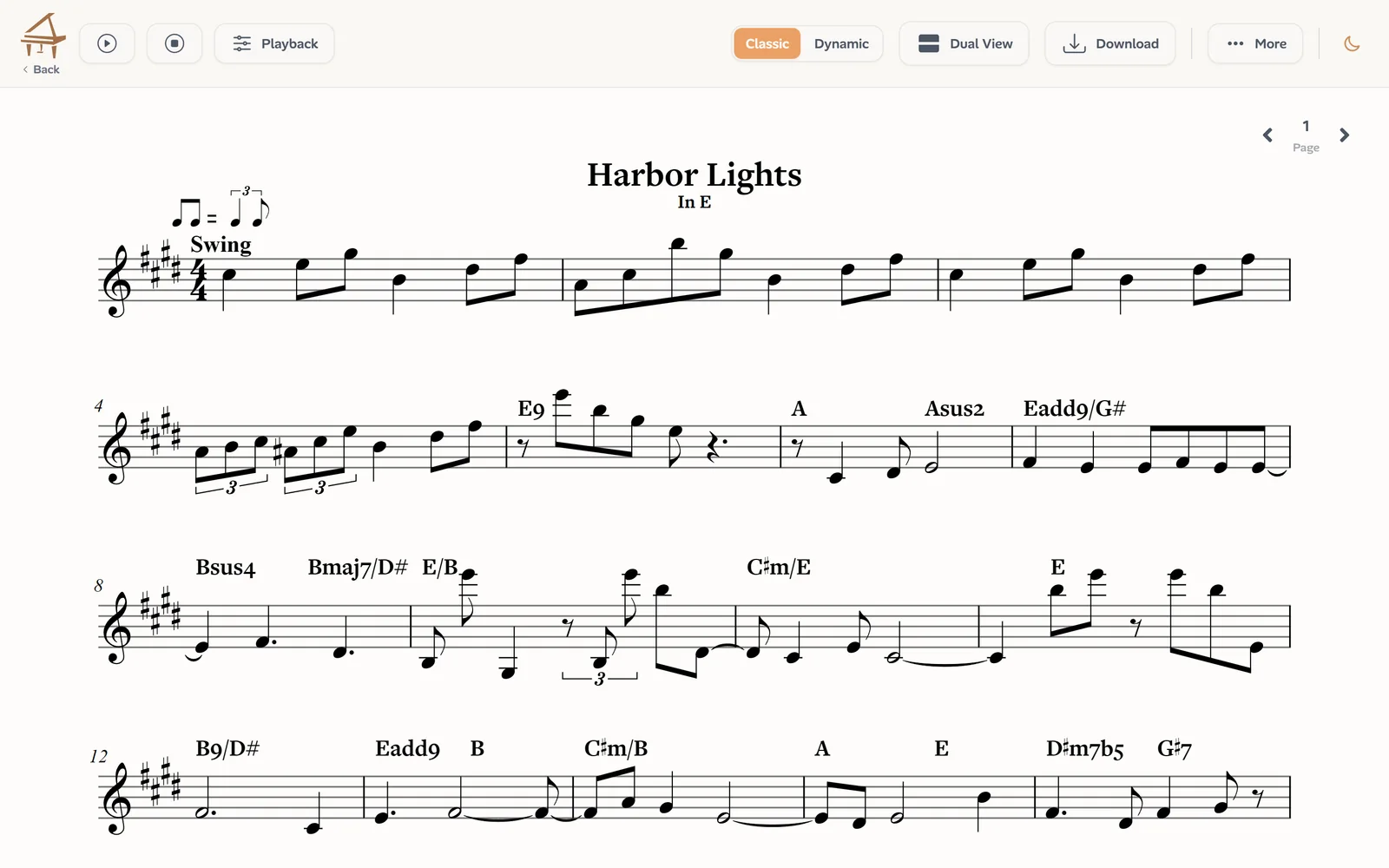
Choose Song, and the Lead Sheet mode (in beta) writes the melody on one staff and the chord symbols above it, on the beat of your recording, with its key and its meter. It does not write the lyrics, which you add yourself.
It works best on a recording with your voice and your instrument together, where both the tune and the harmony can be heard.
Send it to the band
Export the lead sheet as a PDF for the players, as MusicXML to keep working on it in MuseScore, Sibelius, Finale or Dorico, or as MIDI. Transpose it by semitones first if the singer needs another key.
In the Complete view, Ivory also shows a second line and a bass line under the chords: a starting point for an arrangement, each line of which you can mute.
Piano demos: a full score and MIDI
If you write at the piano, choose Piano recording instead: Ivory writes every note of both hands as a two-staff score, and gives you a MIDI file with each hand on its own track for your DAW. Correct anything in the editor before you export.
Recording tips
A better recording gives a better page:
- Keep the phone close to your voice and your instrument, in a quiet room.
- Sing and play the song through, at its real tempo: long pauses and talking between takes become stray notes.
- Tune the guitar or check the piano first: an out-of-tune instrument can give wrong chords.
- Files up to 10 minutes: record the song, not the whole session.
Your song stays yours
Ivory does not train its models on your recordings or uploads. Your transcriptions stay in your library.
Frequently asked questions
No. It writes the melody and the chords; you add the lyrics in your notation software after exporting the MusicXML.
The Lead Sheet mode listens for the harmony in the recording, so a voice with its accompaniment works best. A voice alone has no chords to find.
Not yet: export the MusicXML and edit it in MuseScore, Sibelius, Finale or Dorico, chord symbols included. Piano scores can be corrected in Ivory’s editor.
Without a credit, every transcription is a free preview: the first 30 seconds as falling notes and the first 8 bars of the score. The whole song and its downloads take one credit: a single credit costs €3.99 and never expires, and a subscription (€8.99 a month) includes 100 songs a month.
MP3, M4A, WAV and most audio and video files, up to 10 minutes and 30 MB, or a link to a YouTube, TikTok or Instagram video under 15 minutes.
Write your song down
Upload the recording of your song and read the first 8 bars of its lead sheet for free.
Get the lead sheet