Falling notes
Turn your song into falling notes, right in your browser. Upload a recording or paste a link: every note falls onto the keyboard as it is played, so you see what comes next before you play it.
- Made for solo piano
- Free preview of every song
- Plays in your browser
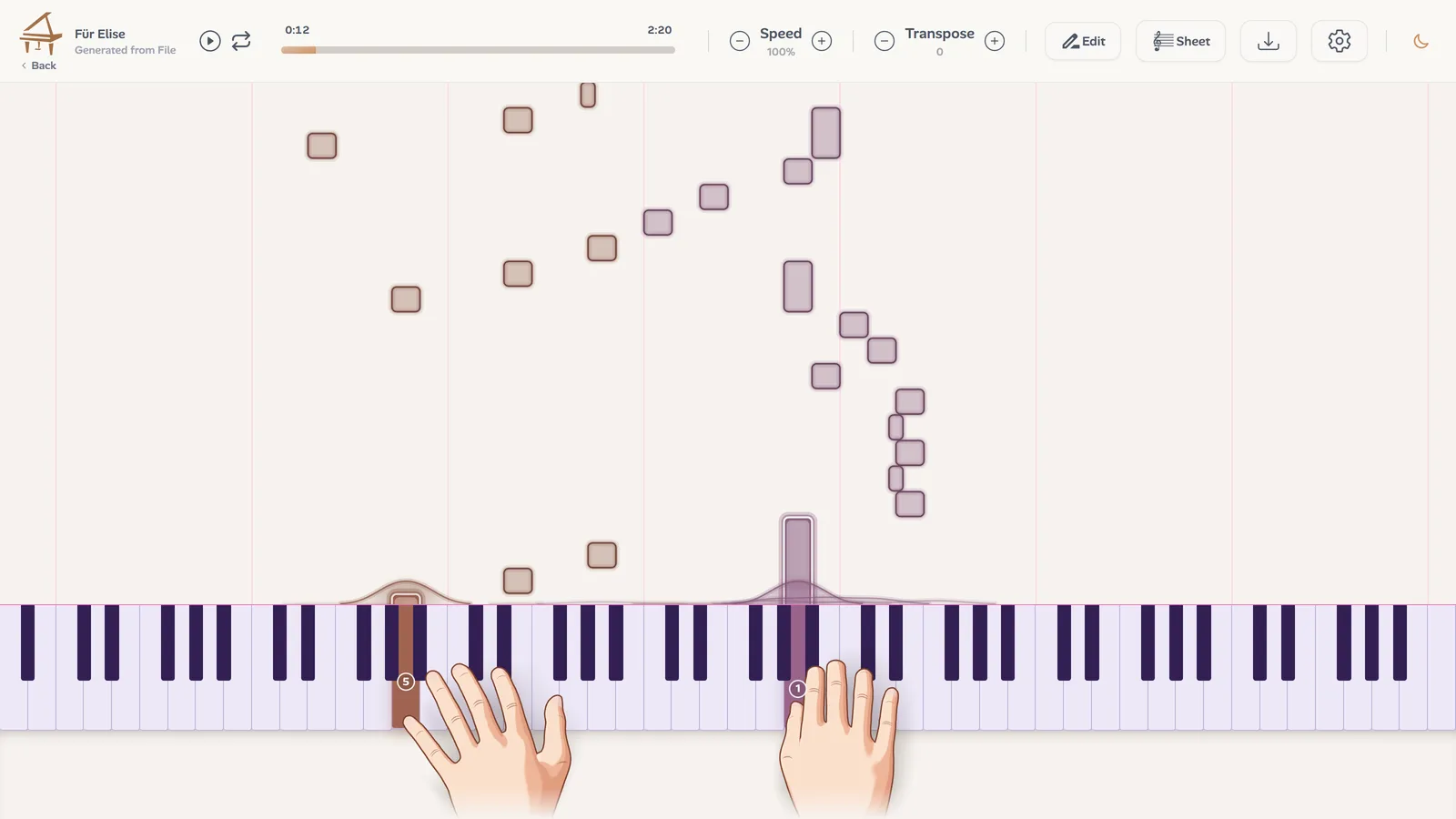
What are falling notes?
Falling notes show music without sheet music. A piano keyboard sits at the bottom of the screen and the notes come down from the top, each one above the key it belongs to. When a note reaches the keyboard, its key sounds.
The format grew up with piano videos online, because anyone can follow it: no clefs, no key signatures, no rhythms to count. You see the next notes coming, and how long each one lasts.
How to read falling notes
Four things tell you what to play:
- Where a note falls: the key to play, white or black, right below it.
- How long it is: how long to hold the key. A long bar is a long note, a short one a quick note.
- Its colour: the hand that plays it, one colour for the left and one for the right.
- The space between notes: the rhythm. Notes close together come fast, a gap is a rest.
When a note lands, its key lights up, so you can keep your eyes on the music and still see where you are.
Falling notes or sheet music?
Falling notes are the quickest way into a piece: you can play your first bars without reading a single note. Sheet music shows what they leave out, the bars, the beat and the key, and fits a whole page of music on one screen.
You do not have to choose. Ivory makes both from the same transcription: switch between the falling notes and the score of the song, and use whichever helps you more.
Six themes, live
Each card below is drawn by the player itself, the way your notes fall in it. Pick a theme in the player settings, and change it whenever you like.
More than notes falling
Your colours
Choose the colour of each hand: every theme draws your notes in them.
3D hands
On a piano recording, two hands play every note with a finger number on it, so you see the fingering as well as the keys.
Any speed
Slow it down to learn, bring it back up to play. The pitch stays where it is.
Loop a passage
Drag over the notes to pick the bars that repeat until you have them.
Hide a part
Hide a hand: its notes disappear and fall silent, and you play them yourself.
The score too
Switch to the sheet music of the same song and read along.
Export your falling notes as a video
Ivory's app for iPhone and iPad turns your song into a vertical falling notes video, with your theme, your hand colours, the score under the notes and the piano sound, ready for TikTok, Reels and Shorts.
How to turn a song into falling notes
Three steps, all in your browser:
Upload or paste a link
An audio file up to 10 minutes, or a YouTube, TikTok or Instagram link to a video under 15 minutes.
Ivory transcribes it
In a few minutes, every note of the piano is written down, with the hand that plays it.
Press play
The notes start falling. The first 30 seconds of every song are free.
Frequently asked questions
No. Ivory makes the falling notes from a recording or a link. If you already have a MIDI file, upload it as it is: it is imported with nothing to transcribe.
Without a credit, every transcription is a free preview: its first 30 seconds in the player, hands included. One credit transcribes the whole song and unlocks its downloads: a subscription (€8.99 a month) includes 100 songs a month, and a single credit costs €4.99 and never expires.
No. The falling notes play in your browser, on a computer, a tablet or a phone. There is also an app for iPhone and iPad.
Yes. Slow it down, loop the passage you are learning, and hide the hand you want to play: Ivory plays the rest.
Yes. Pick one of the six themes, and choose the colour of each hand in the player settings.
Yes, with Ivory's app for iPhone and iPad: its video maker turns the song into a falling notes video, ready to post.
Watch your song fall
Upload a recording or paste a link, and play the first 30 seconds for free.