Piano fingering for any piece
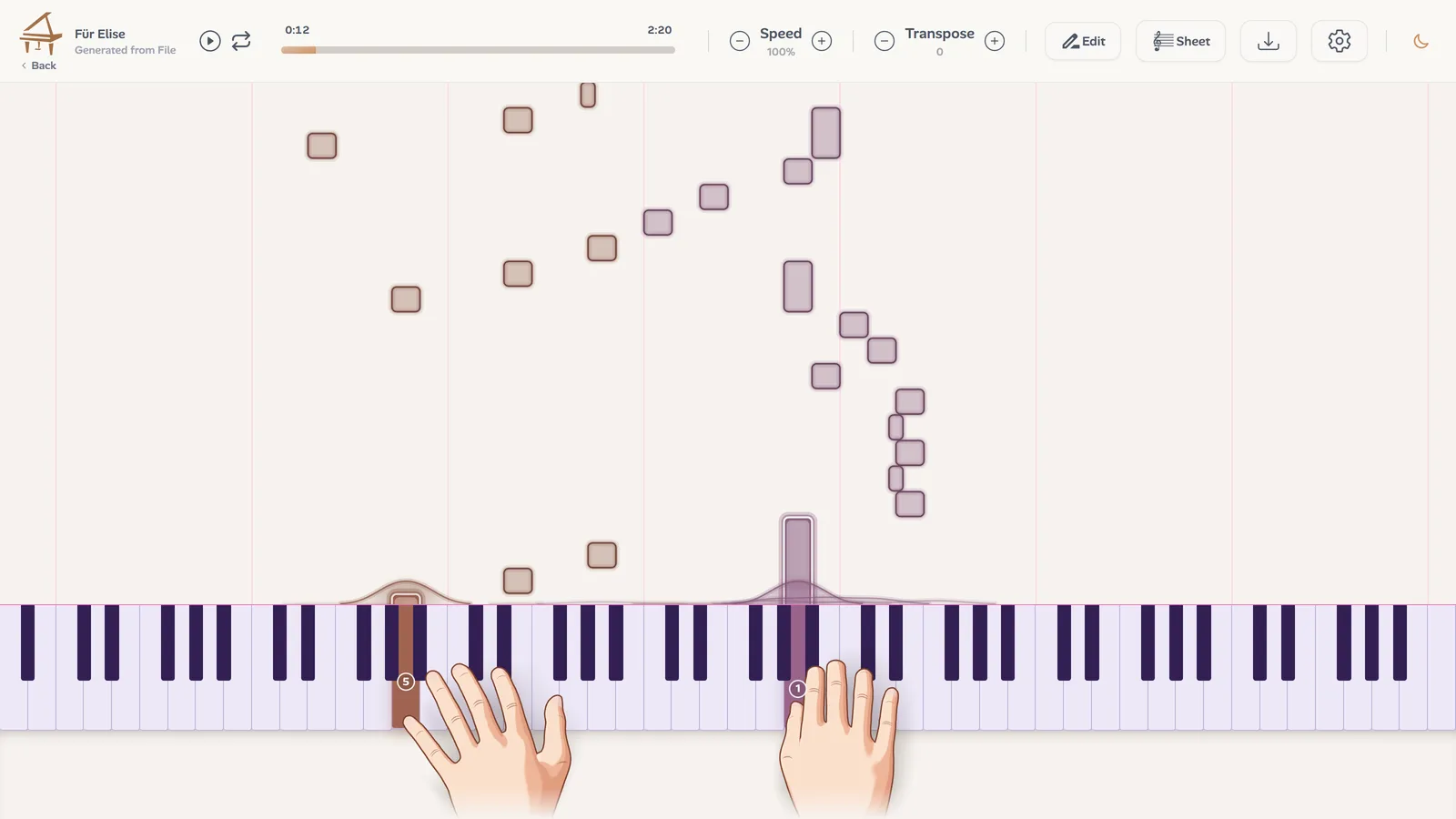
Upload a recording or paste a link. Ivory writes down every note and gives each one a finger, from 1 for the thumb to 5 for the little finger, and two hands play it on the keyboard.
- 3D hands with finger numbers
- Free preview of every song
- YouTube, TikTok and Instagram links
Why fingering matters
The same notes can be easy or impossible depending on the fingers you use. A good fingering keeps the hand quiet, avoids awkward stretches and lets the next passage start in the right place. Most recordings and many scores give no fingering at all, so learners guess, and a bad guess learned slowly is hard to unlearn.
How Ivory chooses the fingers
Ivory looks at each note with the notes around it, the way a teacher would:
- The stretch: how far apart the notes are, so the hand never opens wider than it comfortably can.
- The black keys: the thumb and the little finger stay off them when another finger fits better.
- What comes next: the hand is placed for the following notes, so it moves as little as possible.
- Chords: each chord gets a hand shape a pianist would use, from the thumb to the little finger.
It is a suggestion, not a rule. Small hands, a teacher's habits, two editions that disagree: in finger editing you can change any number, your choice is saved with the song, and the notes around it are refingered to match.
What you get
A finger on every note
From 1 for the thumb to 5 for the little finger, on each note of both hands.
Animated 3D hands
Two hands play the piece on the keyboard, so you see the fingering move, not just read it.
Your own fingering
Change any finger: it is saved with the song, and the passage around it follows.
Slow and loop
Slow the passage down and loop it until the fingers know the way.
One hand at a time
Hide one hand and play its part while Ivory plays the other.
The score and the MIDI
The same transcription gives the sheet music and the MIDI file, ready to print or export.
How to get the fingering of a piece
Upload or paste a link
A recording of the piece, or a YouTube, TikTok or Instagram link. A piano playing alone gives the best result.
Ivory transcribes it
Every note of both hands, then a finger for each one. It takes a few minutes.
Watch the hands, then practise
Open the player, slow it down, and follow the finger numbers. Change any finger that does not suit your hand.
Practise it with the iPhone app
In the Ivory app for iPhone and iPad, Learn mode takes the piece a few bars at a time, one hand and then both, and listens as you play on a digital or an acoustic piano. The fingering comes with it.
Frequently asked questions
It is a careful suggestion, made from the notes around each one, the way a teacher fingers a passage. Pianists often finger the same bars differently, so you can change any finger, and your choice is kept.
Yes. In finger editing, pick a note and give it another finger: it is saved with the song, and the notes around it are refingered to match.
Yes. Paste the link of a piano video, on YouTube, TikTok or Instagram, and Ivory transcribes its notes and gives each one a finger.
Every transcription starts with a free preview: the first 30 seconds as falling notes with the hands, and the first 8 bars of the score. A credit (€4.99 for 5 minutes) or a subscription (€8.99 a month) unlocks the whole piece.
1 is the thumb, 2 the index finger, 3 the middle finger, 4 the ring finger and 5 the little finger, for both hands.
Yes. The hands can be turned off in the player settings, and you can hide one hand to practise its part alone.
Find the fingering of your next piece
Upload a recording or paste a link, and watch the first 30 seconds with the hands for free.