Paste a TikTok link, get the sheet music
The music of a TikTok video becomes a score you can read, play back and download. Ivory is really powerful at piano, and it writes down whole songs too.
- YouTube, TikTok and Instagram links
- Videos up to 15 minutes
- Free preview of every song
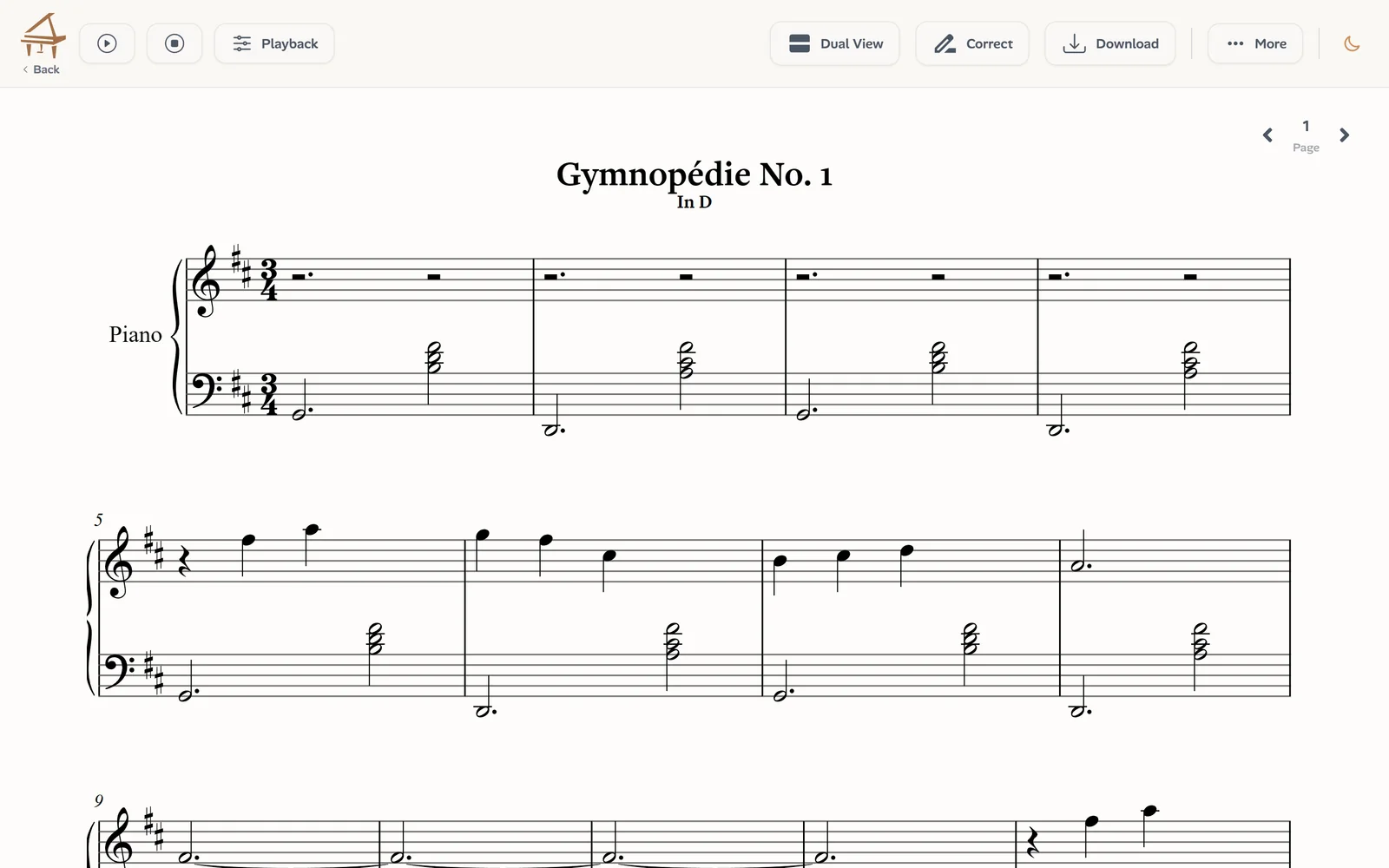
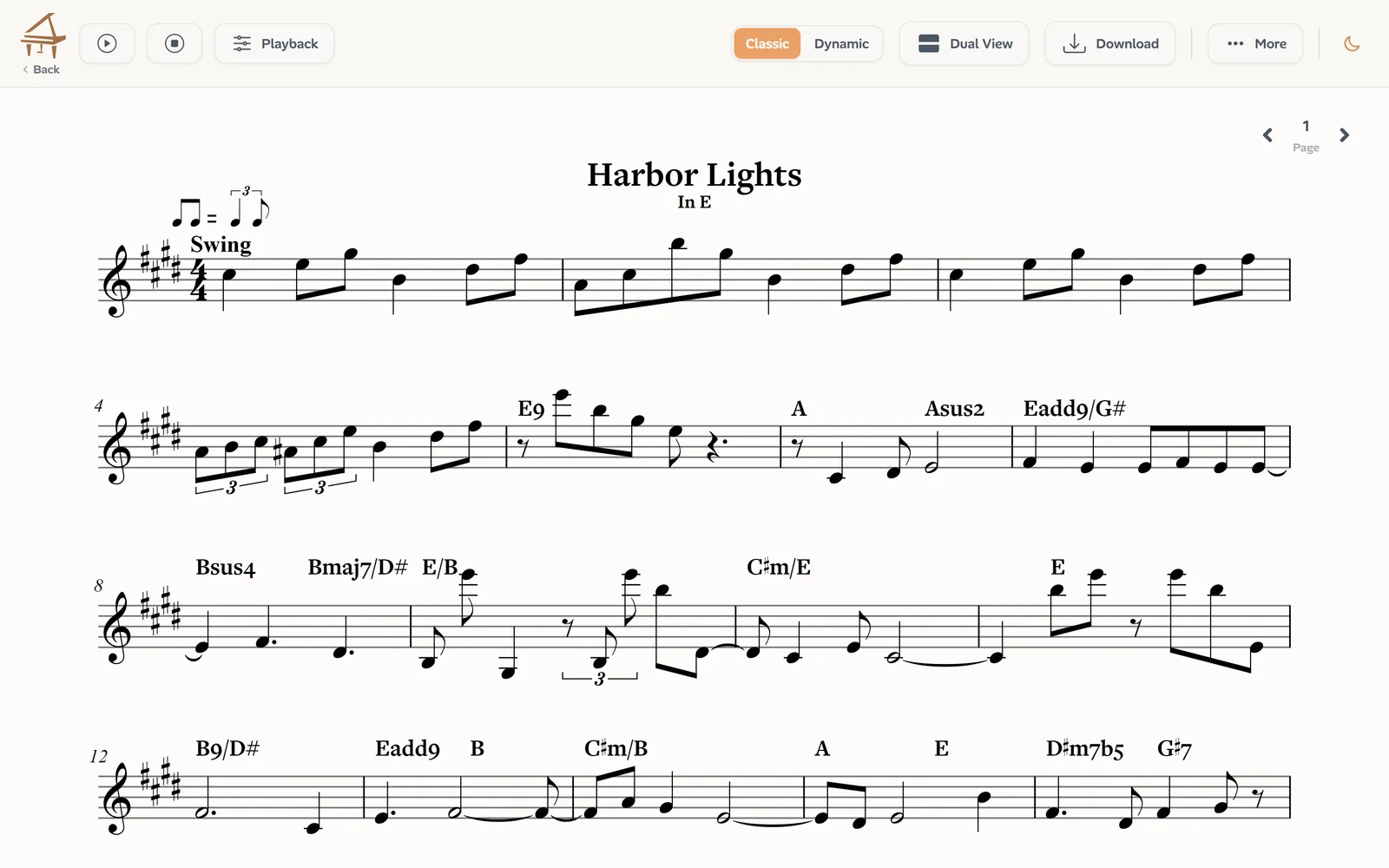
What one TikTok link gives you
A piano score
From a piano video: every note on two staves, both hands, with the rhythm, the time signature and the key.
The whole song
From a song: the melody with its chord symbols, the harmony and the bass line, each on its own staff.
A MIDI file
The notes for your DAW or your notation app. In Piano mode, each hand has its own track.
Falling notes
Watch the notes fall onto a keyboard, slowed down, with 3D hands showing the fingering.
Corrections
Fix a wrong note of a piano score in the editor before you print or export it.
PDF and MusicXML
Print the score, or open it in MuseScore, Sibelius, Finale or Dorico.
How to turn a TikTok video into sheet music
Four steps, nothing to install:
Copy the TikTok link
In the TikTok app, tap Share on the video, then Copy link. On a computer, copy the address of the video page.
Say what it is
Choose Piano solo for a piano playing alone, or Song for a singer, a band or a mix of instruments.
Paste it and start
Ivory takes the sound of the video and transcribes it. A short video takes a minute or two.
Read, play, download
Open the score, play it back slowly, and download a PDF, MusicXML or MIDI file.
Piano on TikTok becomes a real piano score
Piano is where Ivory is strongest. From a piano video it follows fast runs, dense chords and pedalled passages, separates the two hands and keeps how loud each note was played. You get an engraved two-staff score, the MIDI file, and falling notes to learn the passage from.
Songs become sheet music, with the chords
For a song with a singer or a band, choose Song mode. Ivory writes the melody on a staff with the chord symbols above it, then the harmony and the bass line underneath, all on the beat: what a musician reads to play the song.
Short videos, full scores
A TikTok video is often the first place you hear a piece: a few bars of piano, a melody, a chord progression. Ivory only needs its sound, so a clip of fifteen seconds is enough to get its score, and a longer video gives you the whole piece.
Which TikTok videos work best
The transcription is only as good as the sound of the video:
- The right mode for the music: a piano alone for Piano solo, a full song for Song.
- Clear sound: the music recorded directly, rather than a phone filming a speaker.
- Little talking or sound effects over the music: they can turn into stray notes.
- A public video: Ivory cannot open private or deleted videos.
Your rights
Transcribe only what you are allowed to use: your own playing, music in the public domain, or a recording whose owner allows it. Before every transcription, Ivory asks you to confirm that you are authorized to make a digital and modified version of the audio. Publishing or selling a transcription of someone else's song usually needs permission from whoever owns its rights.
Frequently asked questions
Every transcription starts with a free preview: the first 8 bars of the score and the first 30 seconds as falling notes. A credit (€4.99 for 5 minutes, never expires) or a subscription (€8.99 a month) transcribes the whole video and unlocks the downloads.
Yes. Every transcription comes with a MIDI file next to the score. In Piano mode, the two hands are on two tracks, with the dynamics of every note.
No. Paste the link and Ivory takes the sound itself. If you already have the video or its audio as a file, you can upload it instead.
Up to 15 minutes, which covers every TikTok video.
Choose Song before you start. Song mode writes the melody, the chords, the harmony and the bass line, where Piano solo would hear the whole band as a piano.
Yes. The same bar takes links to Instagram reels and posts, and to YouTube videos and Shorts.
Paste your first TikTok link
Say whether it is a piano or a song, paste the link, and read the first 8 bars for free.